Keys Arcade
Brad Keys (2026)
Unity Developer, Tinkerer
SUMMARY
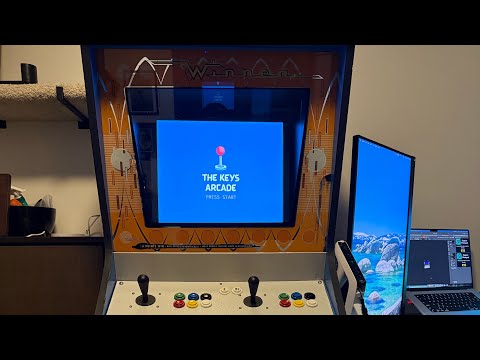
A Linux-based arcade machine that I built for family and friends to play Unity games I've developed.EXPERIENCE
I originally wanted to build a MAME cabinet, but these days I'm more interested in preserving the ability to play and share the games that my friends and I have created. Otherwise they have to be maintained on storefronts, which isn't always practical. The Keys Arcade is a Linux-based arcade machine that boots straight into a simple launcher for my Unity games. It lives at my home, for family and friends to play.
This hobby project took 13 years to initially complete, though only about 50 hours of that was actual work, most of it spent debugging Linux issues and finding a tech stack that gave me a streamlined setup with a simple, customizable launcher. I intend to continually improve the experience, create more games for it, and experiment with new types of input devices.
OVERVIEW
- Cabinet: "Winner" by Midway (1970s)
- Operating System: Ubuntu Linux (headless)
- Game Management: Pegasus Frontend
- Theme: Flixnet (modified)
- Monitor: 19" ViewSonic VG939Sm LED Monitor (1280x1024) resolution and IPS panel technology
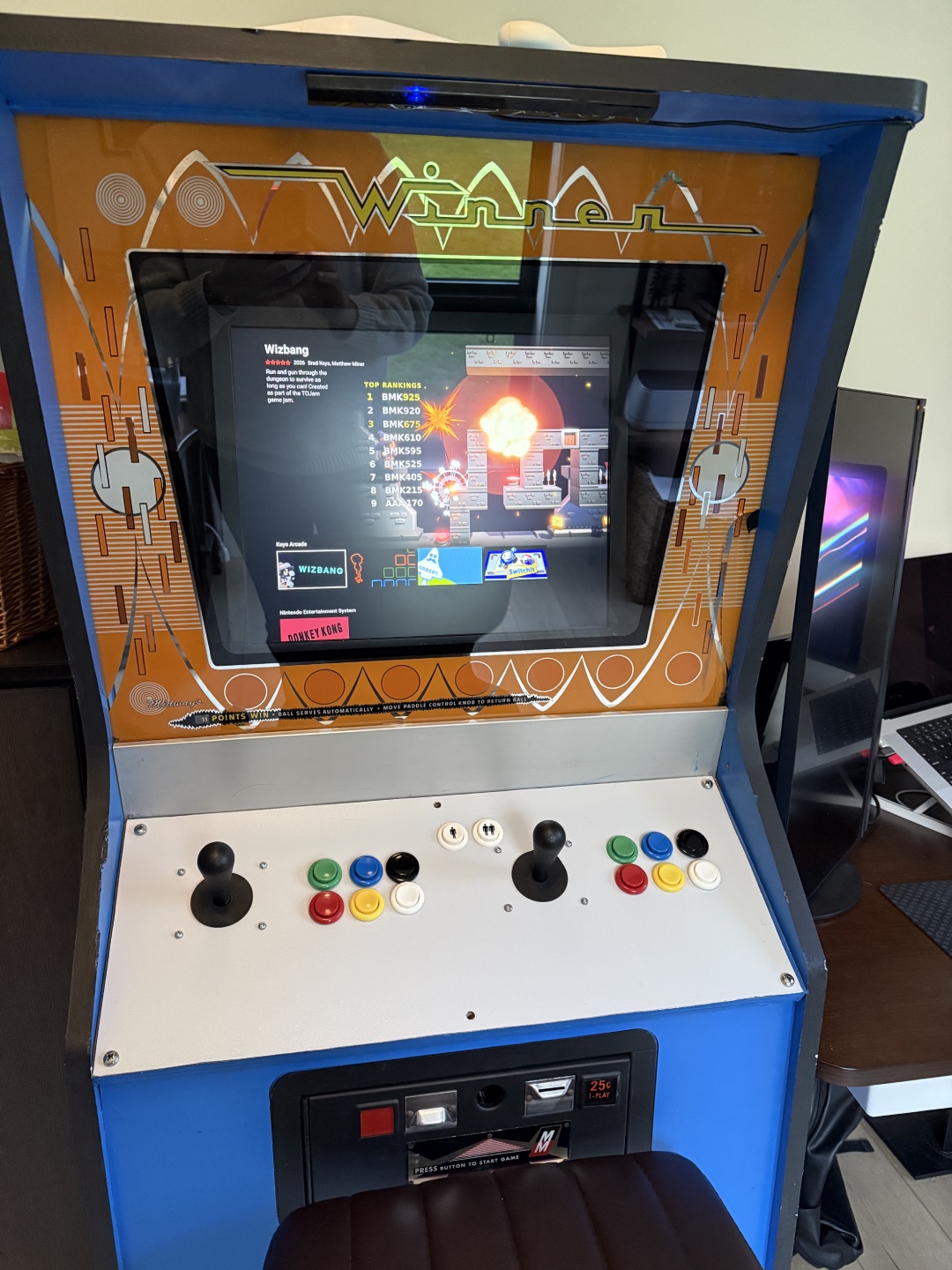
- Controls: Ultimarc I-PAC 2 (mini), SUZOHAPP joysticks and push buttons
- Light Gun: Mayflash DolphinBar Sensor, Wii Remote Plus, Zapper
HARDWARE
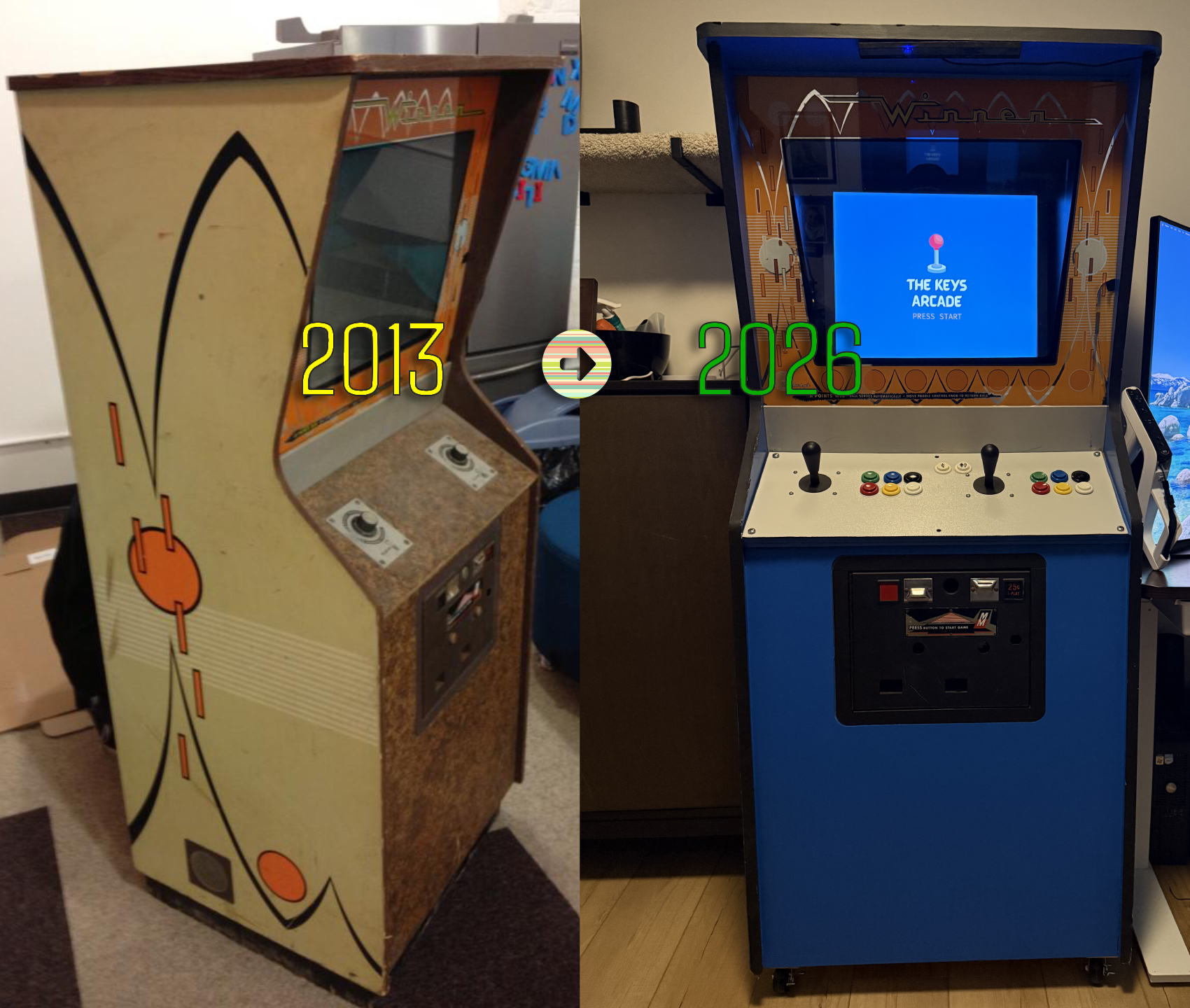
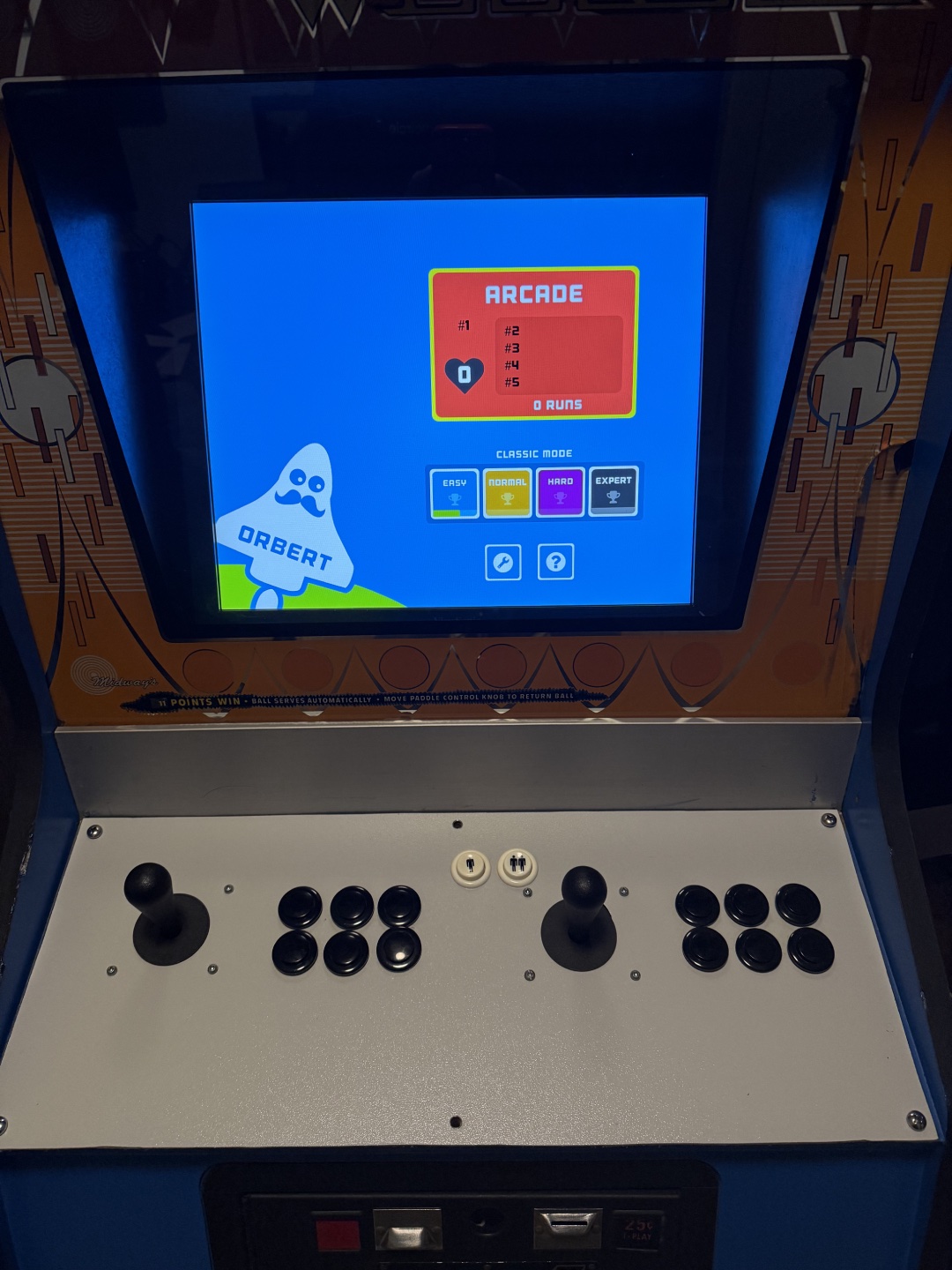
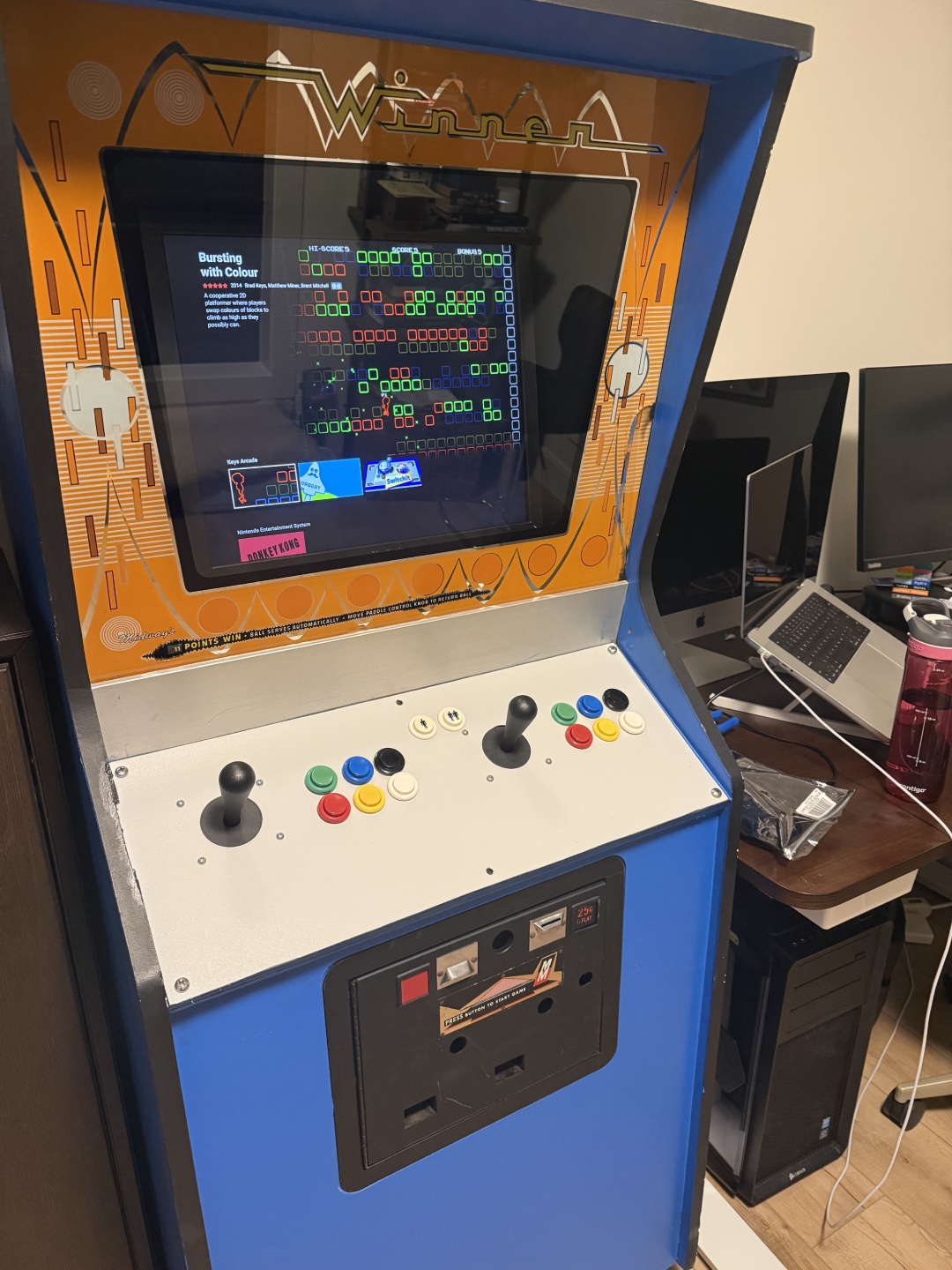
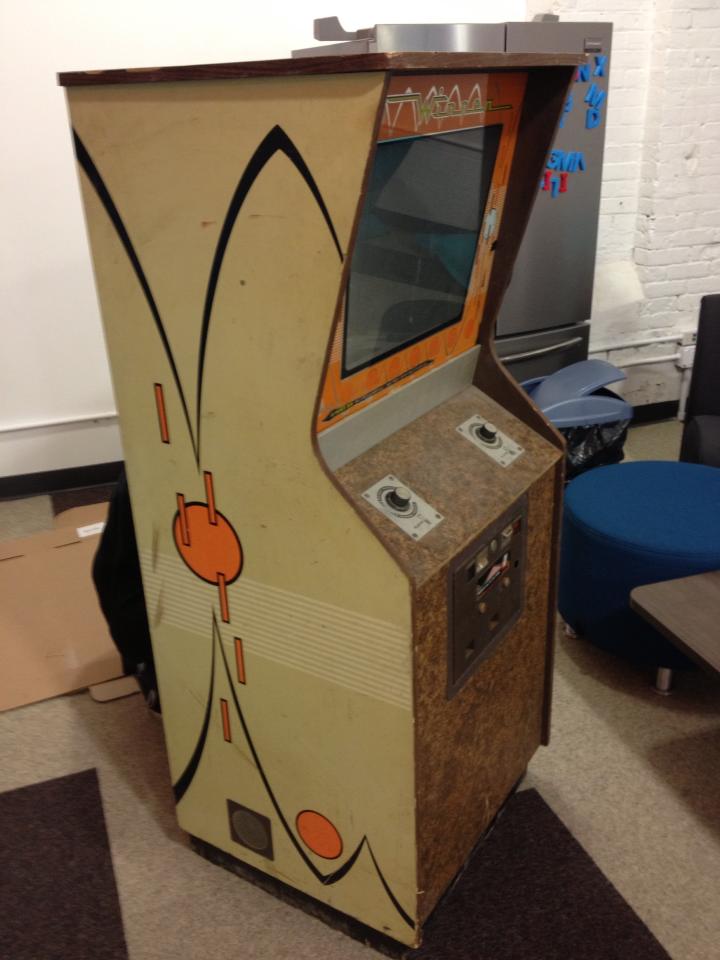
The cabinet was originally a 1970s Midway game called "Winner" which used knob inputs. I purchased it in non-working condition off a local buy and sell in 2013. With the help of friends and family, I converted it to use modern push buttons and joysticks for input, and later added "light gun" support.
My brother and father helped cut and drill holes in the metal panel where the controls are fitted, my wife helped rig up the monitor mount, and my friends helped solder some of the wires and paint the cabinet. I wired up the controls and did all of the software. The cabinet's original coin door is still on the front. It has been repainted, but it isn't wired up.
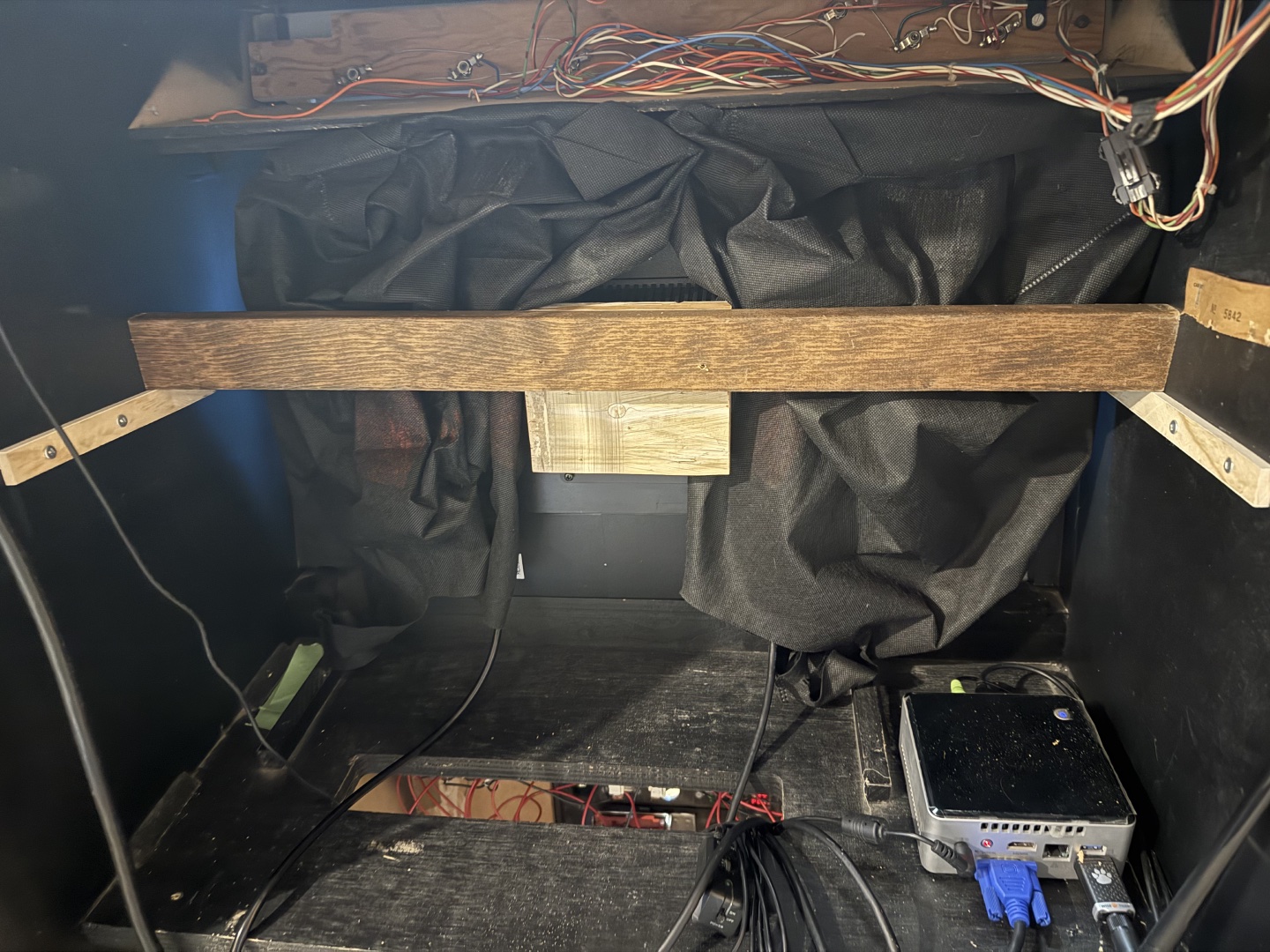
The monitor is a modern 19" 5:3 LCD monitor with IPS support. The monitor is mounted to a block of wood fairly close to the glass that originally housed a CRT monitor. It has black fabric draped around it to hide gaps.
The computer is an ASUS gaming computer from 2015 with a GTX 970 that I had used for VR development in the past. Initially I used an Intel NUC from that same era, which is an incredibly nice form-factor. However, it wasn't able to smoothly run a newer game I made, so I swapped it for a more powerful (and much larger) computer.
SOFTWARE
Much of the effort went into customizing Ubuntu to boot straight into its non-GUI mode. A custom shell script handles power management and launches a simple Python program that displays a "Press Start" splash screen. Pressing the Player 1 button launches Pegasus Frontend, where users can select a game to play. Alternatively, the Python program will auto-launch Pegasus if there is no input detected for 10 minutes or so. Getting Ubuntu and Pegasus Frontend to work nicely with the arcade inputs was a lot of work too, and I also made the arcade input support two-player light guns.
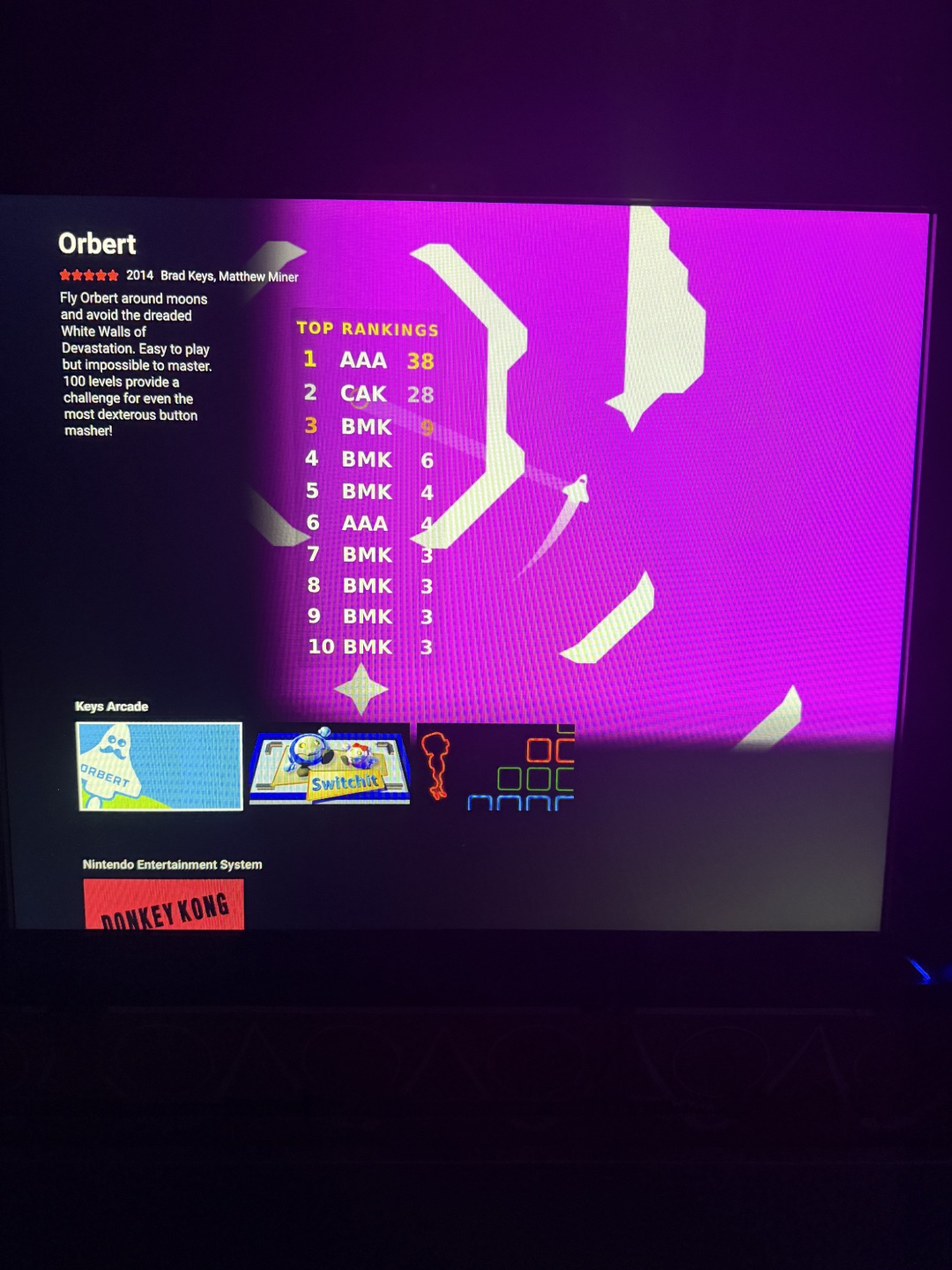
My Unity games are in a custom Pegasus collection that I provide the artwork for. Each game has been built for Linux 64-bit Standalone. The collection's data file can optionally point each game to a leaderboard file, which is a JSON file stored in the game's Unity project. I modified the Flixnet theme to read that file and show the leaderboard while browsing the collection, then updated a few of the games to have leaderboards as a new feature. The theme has also been modified to slow down repeating input so that it's easier to navigate with a joystick.
Each Unity game that I've ported has been upgraded to Unity 6.4 and has been modified to work with the arcade machine joystick and buttons. Some of the games were made for mobile and others for Xbox controllers, so porting notably involved reworking input and updating UI logic so that players could navigate via buttons and joystick, rather than touch controls, mouse or a gamepad. I also have updated each game to support exiting back to the Pegasus Frontend.
Two of the games, Bursting with Colour and Switchit, started out as Unity 4 projects. Unity no longer runs license servers for those old versions, so I couldn't simply open them in a modern editor. Instead I upgraded them incrementally, from Unity 4 to 5, then to 2021, and finally to Unity 6.4.
UNITY GAMES ON THE KEYS ARCADE
Bursting with Colour (2014)
One of the two Unity 4 projects, so it went through the full incremental upgrade before I could adapt it to the cabinet.
- Fixed what broke in the upgrade: character animations, music and sound effects, wall collisions, and missing player labels
- Reworked the camera and moved the HUD along the top to suit the cabinet's 5:3 screen
- Added joystick and button input for both players, including navigable game over buttons
- Added a preload scene, and the ESC key now quits back to the frontend
Orbert (2014)
Orbert was designed for touch screens, so the arcade version needed new controls and a new goal to play for.
- Arcade mode is now the default mode
- Added a leaderboard, including a screen for entering your initials after a high score
- The leaderboard also shows in Pegasus Frontend while browsing the game collection
- Menus, settings and help are navigable with the joystick and buttons, and a button on the cabinet controls the orbit
- Removed UI that doesn't make sense on an arcade machine, such as the pause button, the best score display and the how to play option
Switchit (2015)
The other Unity 4 project. A local multiplayer game suits an arcade cabinet well, but it needed a lot of work to look and feel right on one.
- Upgraded to Unity 6 and switched to the Universal Render Pipeline (URP)
- Fixed the camera and UI to fit the cabinet's 1280x1024 screen
- Overhauled the character controller so players rotate to face their movement direction
- Fixed bullets colliding with the player while turning and passing through objects at higher speeds, and fixed the bomb explosion
- Performance tweaks, shorter delays, and the ESC key now quits back to the frontend
Wizbang (2026)
A lightgun game created specifically for the Keys Arcade, played with a Wii Remote and the Mayflash DolphinBar sensor. I'll share more details on it soon.
WHAT'S NEXT
- Upgrading from a Wii Remote to a proper light gun
- Wiring up the coin door and finding a fun way to use it in my games
- Adding leaderboards to more of the games
- More games, and new types of input devices